
Social Media Scheduler
Auto-Post to Instagram, Facebook & LinkedIn with an Automatic Scheduler
Postmatic is a social media scheduler and auto-posting tool that connects directly to Instagram (professional accounts), Facebook Pages, and LinkedIn. Create content with AI, place it on your calendar, and Postmatic publishes it automatically. You can even turn on recurring content so new posts are created and published on your schedule.
- Instagram, Facebook & LinkedIn
- Content calendar
- Automatic recurring content
10,000 free tokens after you complete your business profile · No subscription · Tokens never expire
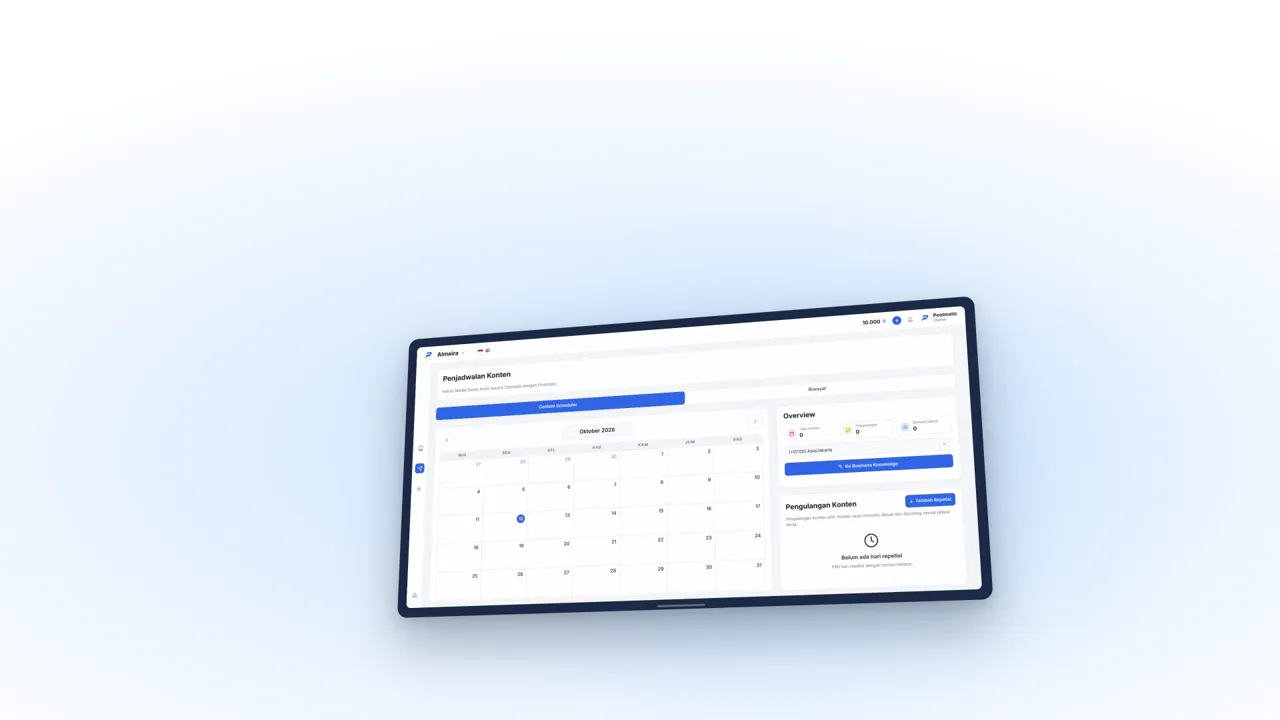
How to schedule automatic posts in Postmatic
- 1
Connect your social accounts
Connect an Instagram professional account, Facebook Page, or LinkedIn through each platform's official permission screen. Postmatic never asks for your password.
- 2
Prepare your content
Create content with AI or upload your own images, including carousel posts, complete with captions.
- 3
Pick the date, time, and accounts
Choose when and where the content goes live, then save it to your content calendar.
- 4
Postmatic posts automatically
Content is published on schedule. You can see the status of every post in the app.
Scheduler and auto-posting features
Content calendar
See your whole posting plan in one calendar and content library.
Post to several accounts at once
Schedule one piece of content to Instagram, Facebook Pages, and LinkedIn together.
Post now
Need it live right away? Publish immediately without waiting for a schedule.
Automatic recurring content
Turn on recurring content so Postmatic creates and publishes new posts regularly on your schedule.
Carousels
Schedule posts with several images, with the first image as the cover.
Multiple brands and teams
Manage schedules for several businesses and give team members access based on their role.
Who is the Postmatic scheduler for?
Small businesses that want to post consistently
Prepare a week or a month of content at once and let it publish automatically.
Social media managers
Run schedules for many accounts from one dashboard without switching apps.
Businesses with regular promos
Use recurring content for weekly promos, daily menus, or regular announcements.
Postmatic vs. posting manually
| Postmatic | Manual posting | |
|---|---|---|
| Consistency | Publishes automatically on schedule | Easy to miss when busy |
| Content creation | Created by AI, then scheduled | Made and uploaded by you |
| Multiple accounts | One schedule for several platforms | Log in and upload one by one |
| Regular content | Automatic recurring content | Repeated manually every time |
Auto posting and scheduler FAQ
Which platforms support auto posting?
Postmatic currently supports automatic posting to Instagram (professional accounts), Facebook Pages, and LinkedIn.
Can I schedule posts for a personal Instagram account?
For automatic posting, Instagram requires a professional (business or creator) account. You can switch a personal account to a professional one for free in your Instagram settings.
Is it safe to connect my social accounts to Postmatic?
Yes. Accounts are connected through each platform's official permission screen, and Postmatic never asks for or stores your social media passwords. You can disconnect at any time.
Can I schedule carousel posts?
Yes. You can upload several images in one carousel post, with the first image as the cover.
What happens if a post fails to publish?
Every post's status is visible in the app. A post can fail if an account connection has expired or the platform has an outage. Reconnect the account on the Business Knowledge page and try again.
Start posting consistently, hassle-free
Connect your accounts, prepare content with AI, and let Postmatic publish it on schedule.
Try It Free10,000 free tokens after you complete your business profile · No subscription · Tokens never expire